UPDATING THE FLOW
Starting with the backbone of project
Picking up the learnings of Retail POS
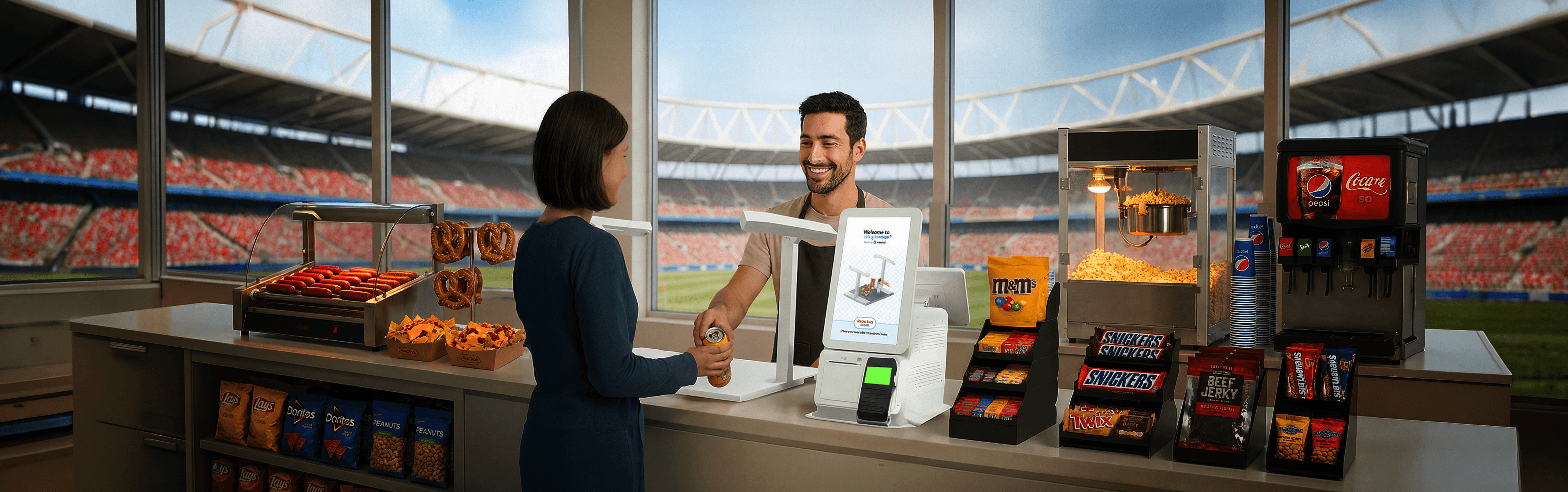
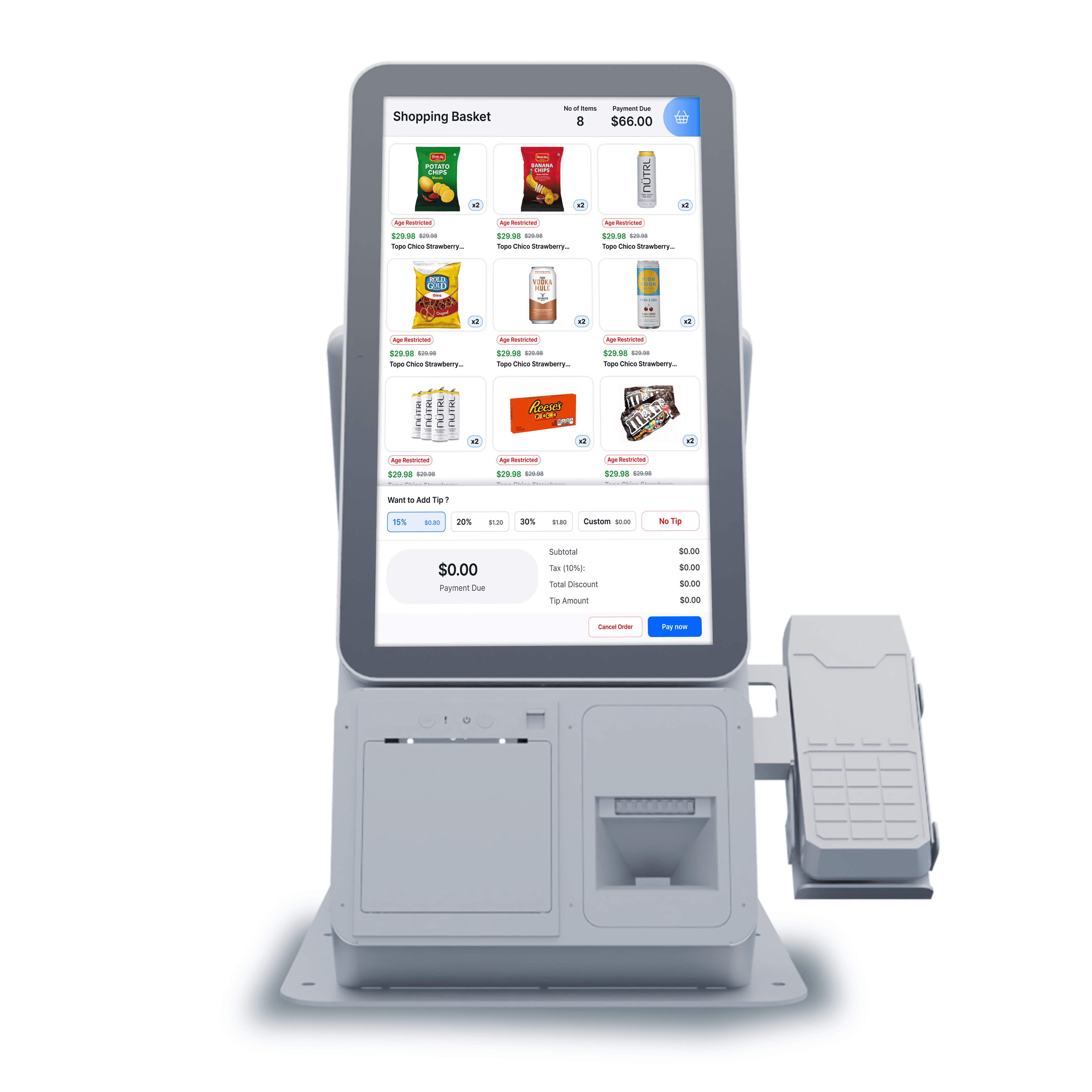
Below is a prototype for the retail POS, originally designed for convenience store environments and aligned with the typical retail customer mental model. The PM team has since adapted these fundamentals to support high-speed stadium checkout scenarios.
NO SUPPORT ITEMS
SLOW RESPONSE ITEMS
Unknown item handling delays processing and prevents system learning.
Real-time product remapping must occur instantly when misclassifications happen.
Frequent branding and layout shifts must adapt seamlessly without optional delays.
DISCOVERY
Before defining the problem, our Head of Sports & Entertainment (VP) shared live stadium insights on where checkout slowed down.
These revealed structural constraints that outlined the problem statement
UNDERSTANDING CHECKOUT BEHAVIOR
Major impact on stadium checkout speed
Stadium checkout delays are largely behavioral, not technical.
Retail POS insights show that queue distractions, order changes, and checkout questions drive most transaction interruptions.
Customer distraction in line
Talking, watching the game, or using phones instead of preparing for checkout.
Finalised order changes
Adding, removing, or swapping
items at the counter.
Questions during checkout
“Where is this?”,
“Can I get one more?”,
“Is this available?”
Unknown or misclassified items
Especially during peak selling moments.
Refunds or receipt requests
Interrupting the active checkout flow.
Design Observations, Finally!
Customer distraction in line
Talking, watching the game, or using phones instead of preparing for checkout.
Reduce dependency on customer-led interactions
Customer-led interactions
Select tip (Customer selects)
Tap “Pay Now” (Operator can initiate)
Tap or swipe card (Operator can initiate)
Select or identify unknown items (Operator can assist)
Design Implementation
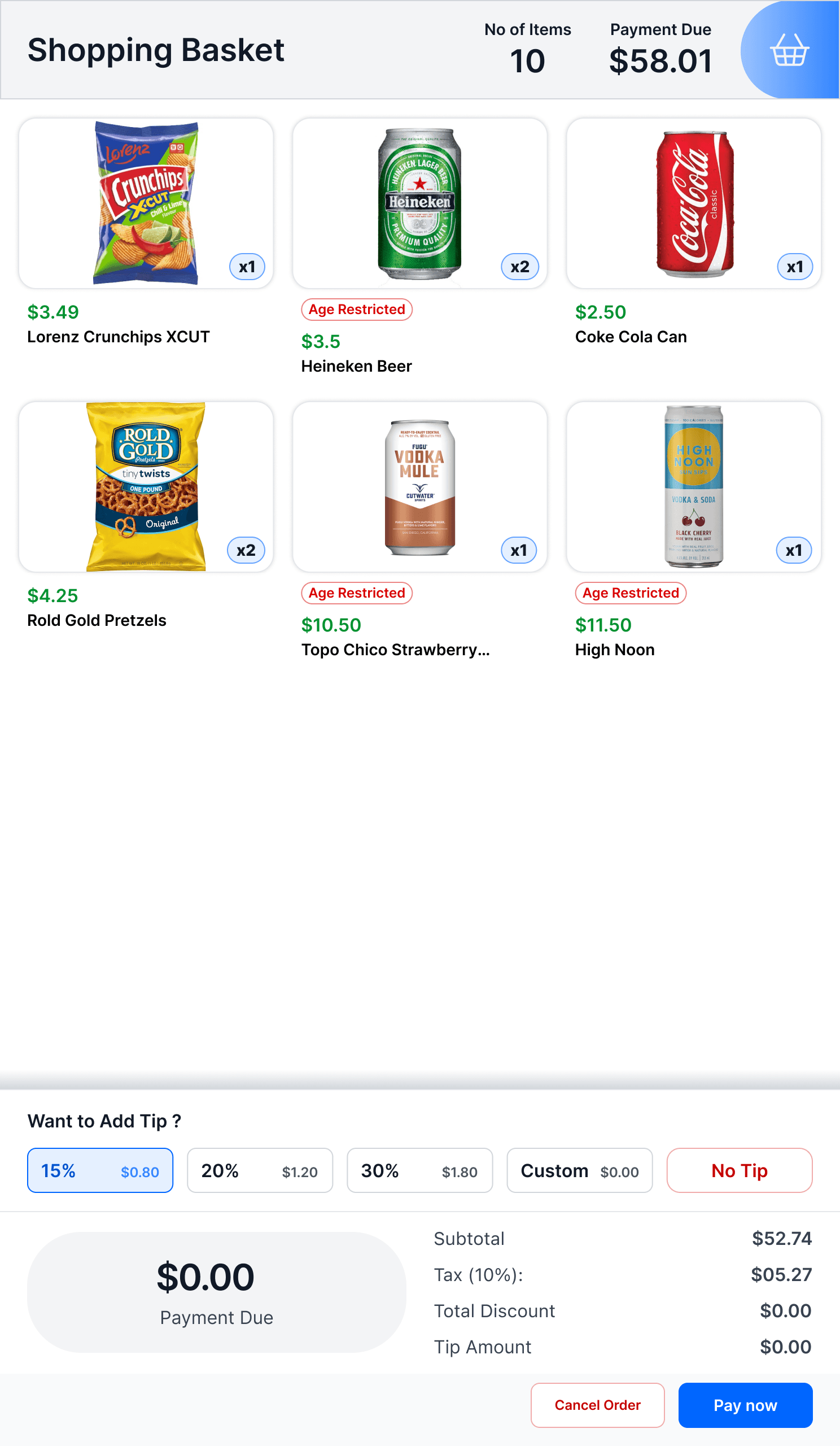
Select tip (Customer selects)
Seamless "Tip" Selection During Checkout
Customer Screen
Tap “Pay Now” (Operator can initiate)
Cashier's can tap "Pay Now" for the users
Cashiers can take over the checkout if customers are distracted.
This allows them to seamlessly guide the transaction through to payment.
Cashier Screen
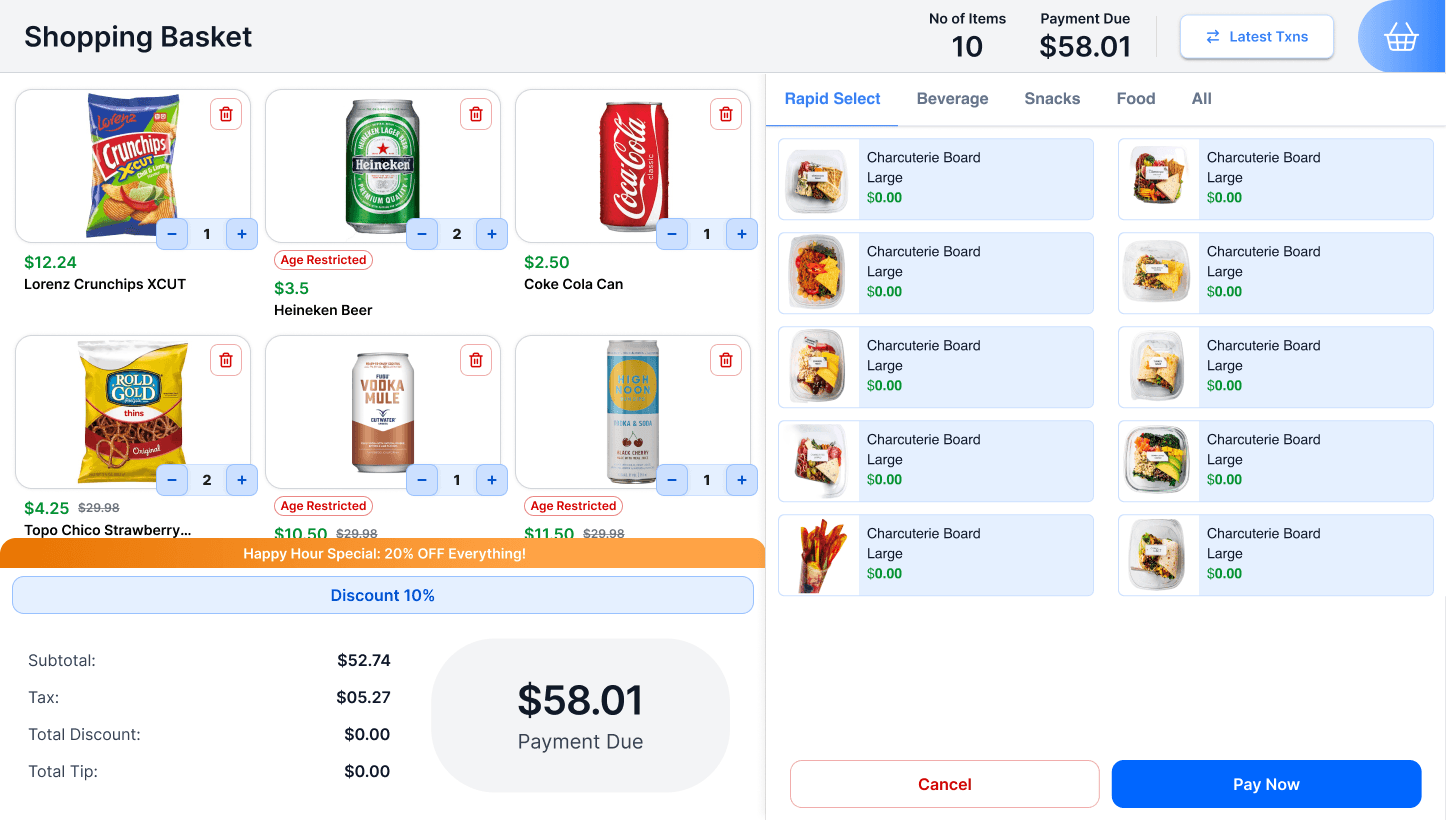
Customer Screen
Select or identify unknown items (Operator can assist)
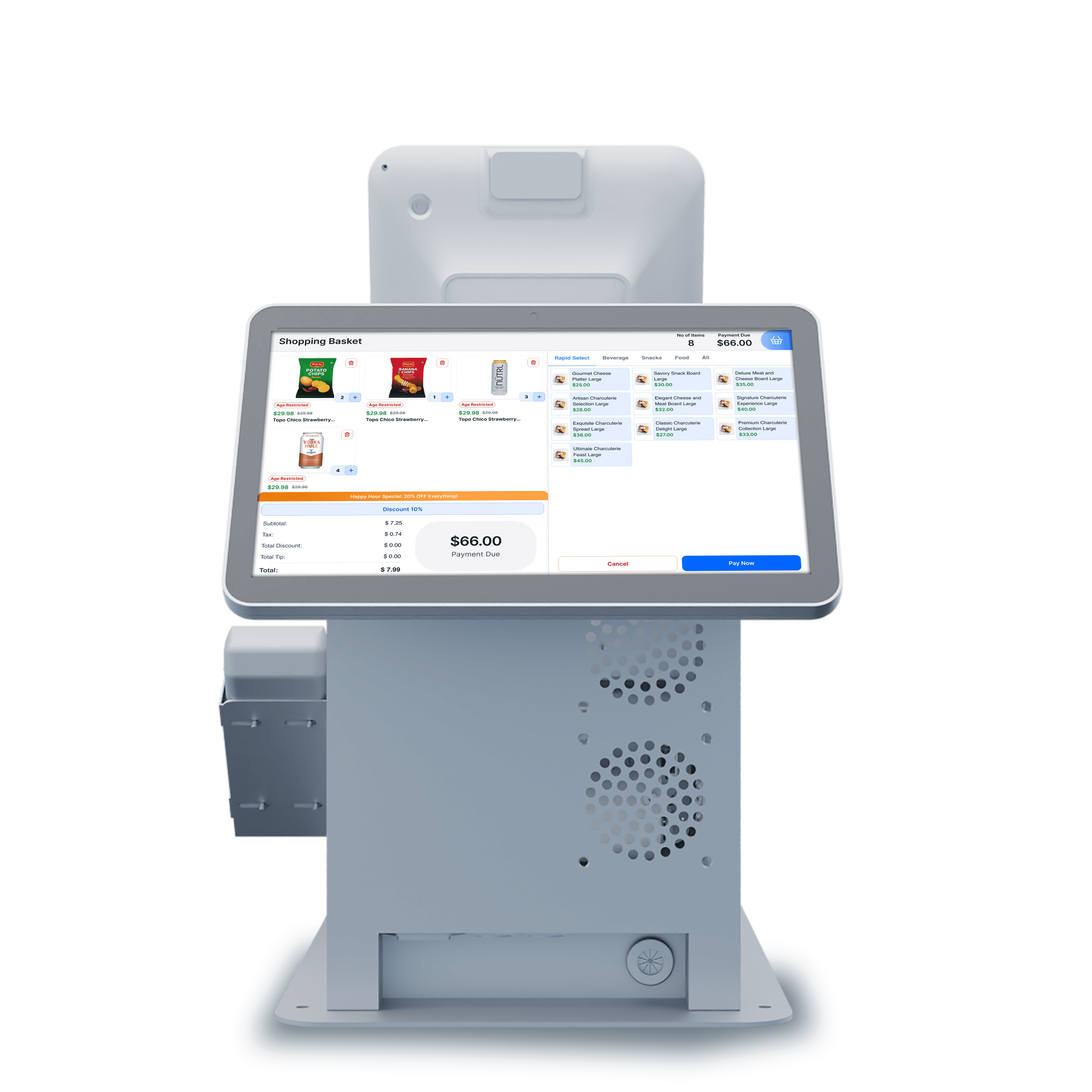
Cashiers can replace misclassified or unknown items using the quick menu.
Quick menu replacement avoids switching to barcode scanning.
The item can be replaced instantly during checkout.
Cashier Screen
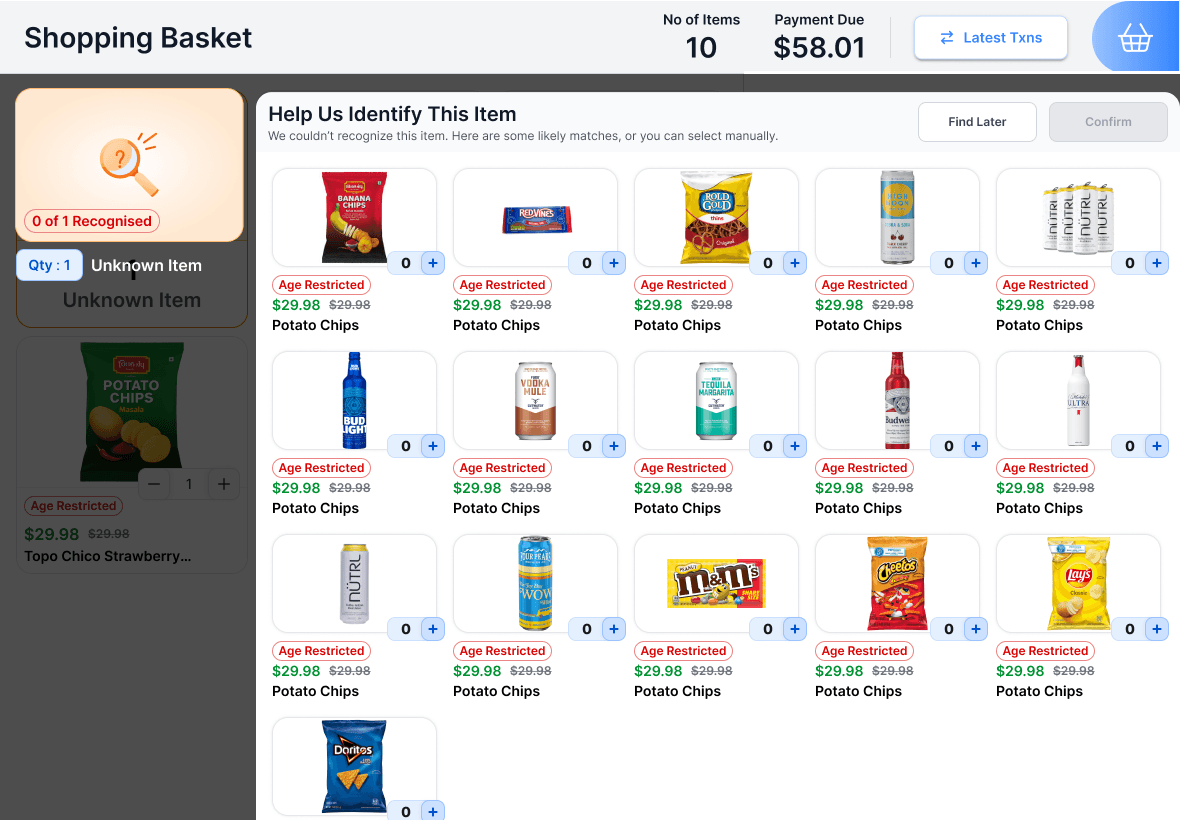
Last-minute order changes
Adding, removing,
or swapping
items at the counter.
Questions during checkout
“Where is this?”,
“Can I get one more?”,
“Is this available?”
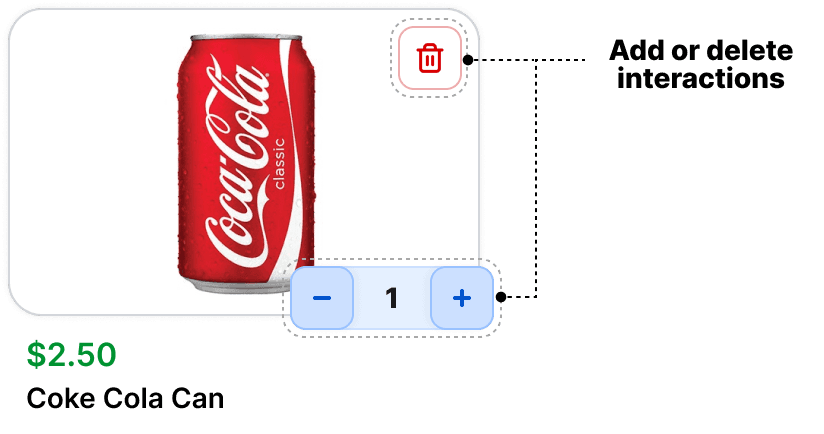
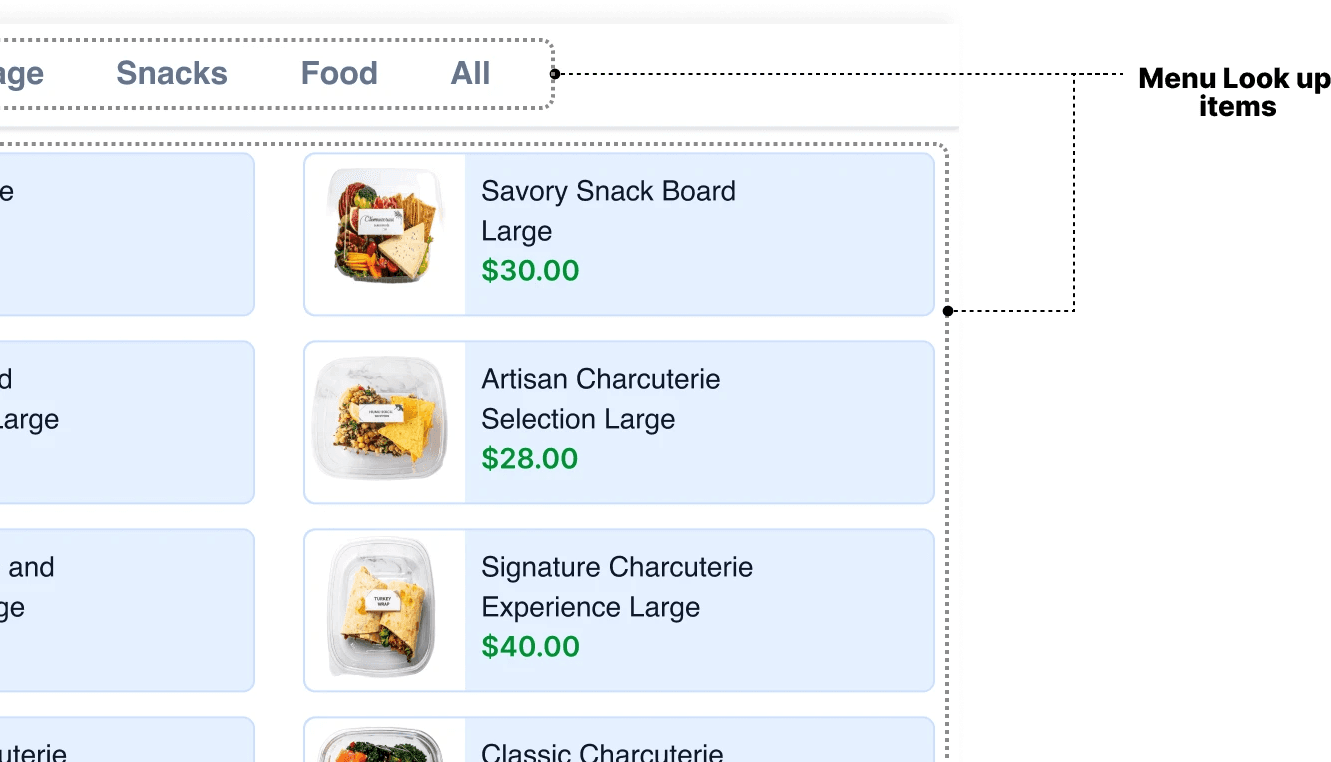
Cashiers can answer customer questions through menu lookup and modify orders by adding or removing items.
Design Implementation
Cashier can manually "add" or "delete" item
Cashiers can browse the full menu to manually add or remove items that are physically present but not detected by the scanner, ensuring checkout continues without stalling.
Cashier Screen
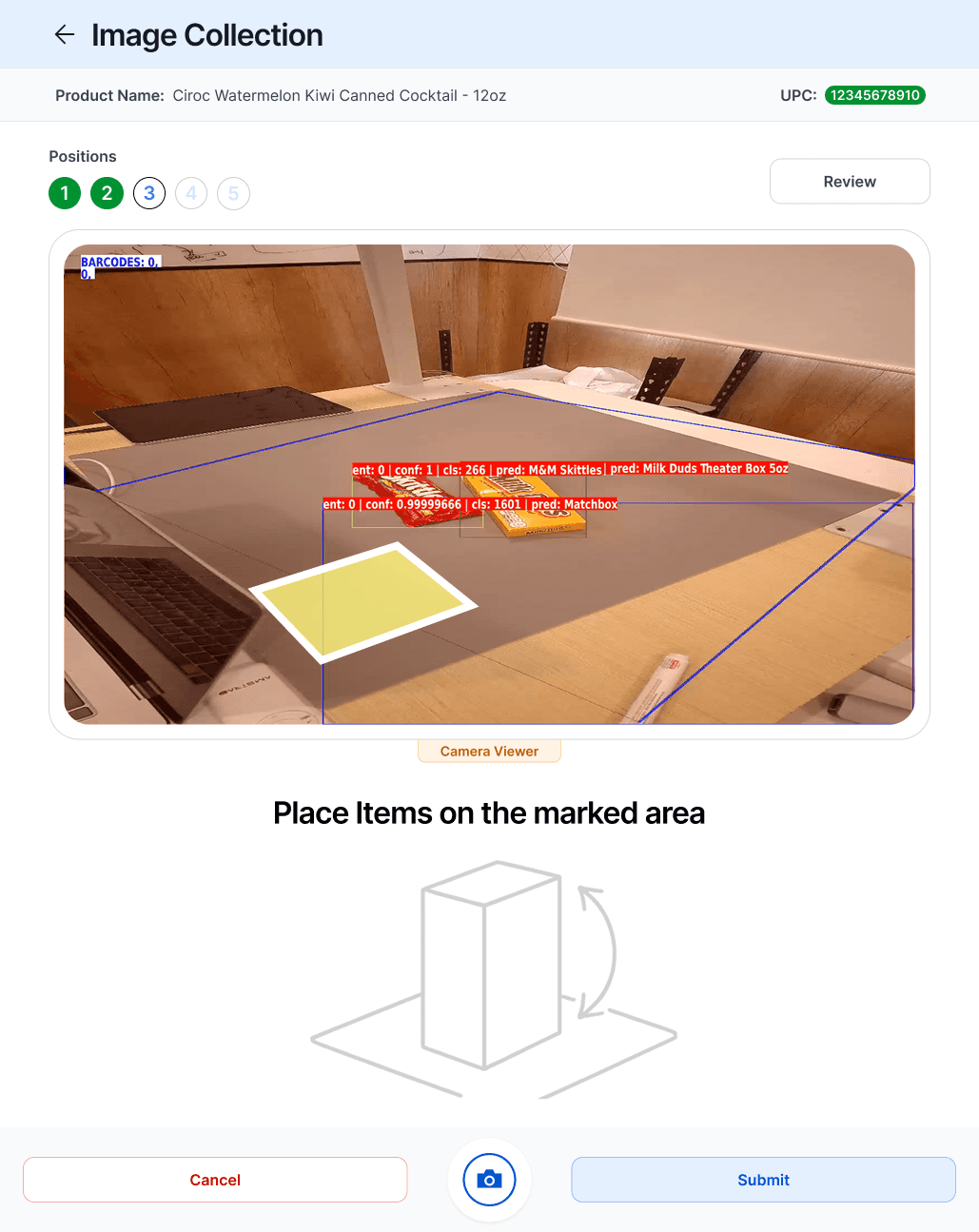
Unknown or misclassified items
Especially during peak selling moments.
No fallback to barcode, instant correction
Instantly resolve by assigning this to an existing menu item.
Design Implementation
No fallback to barcode, instant correction
Cashiers can browse the menu and assign the correct item to resolve unknown scans. If the issue repeats, the cashier can train the item for future recognition.
Cashier adding item
Cashier training item
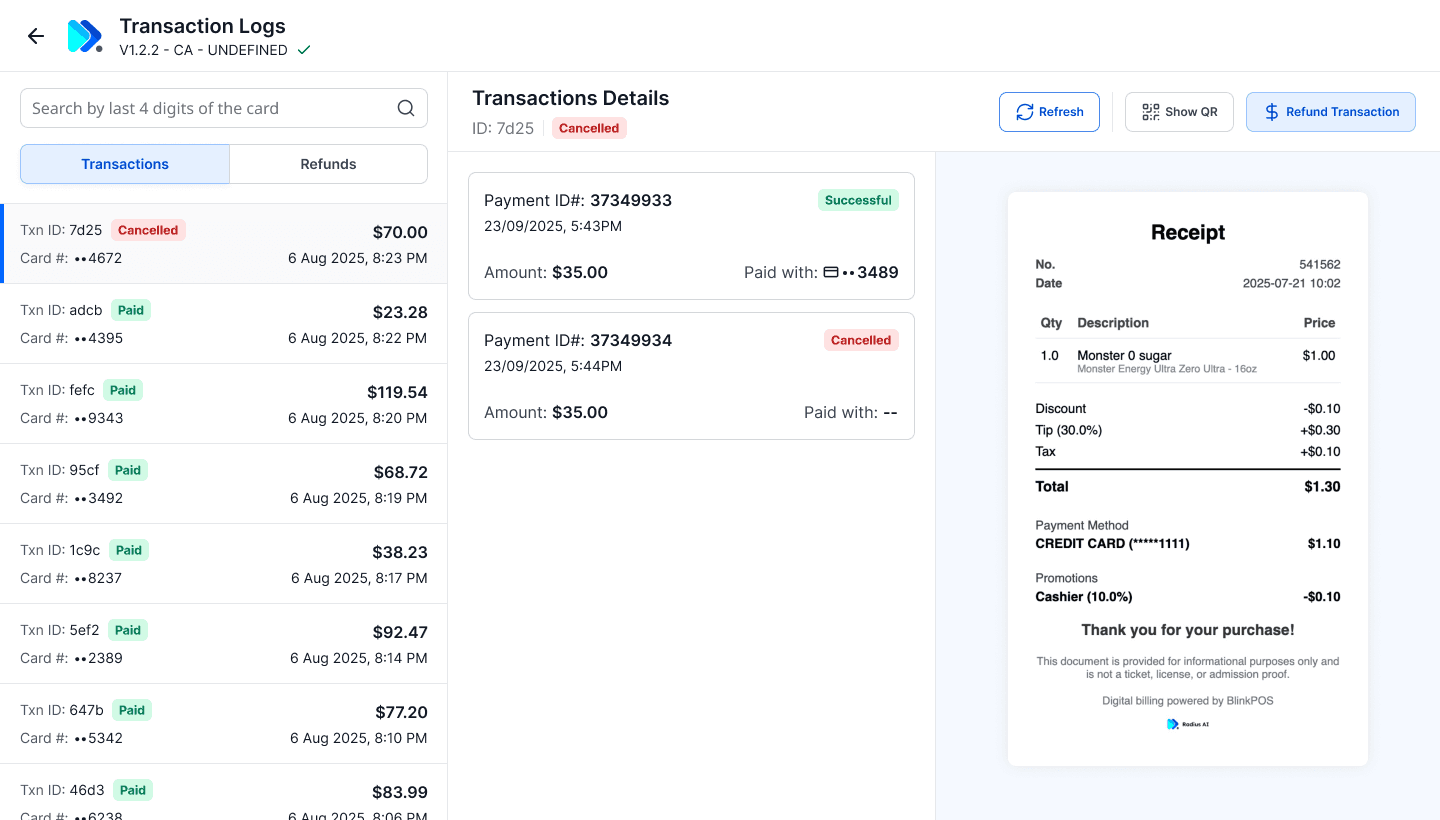
Refunds or receipt requests
Interrupting the active checkout flow.
Streamlined void/refund flow with limited-step confirmation
Design Implementation
Cashier can manually "print receipts" or "refund" transactions
Cashiers can browse the menu and assign the correct item to resolve unknown scans.
The system learns from this correction for future recognition.
Cashier sorting "transactions"
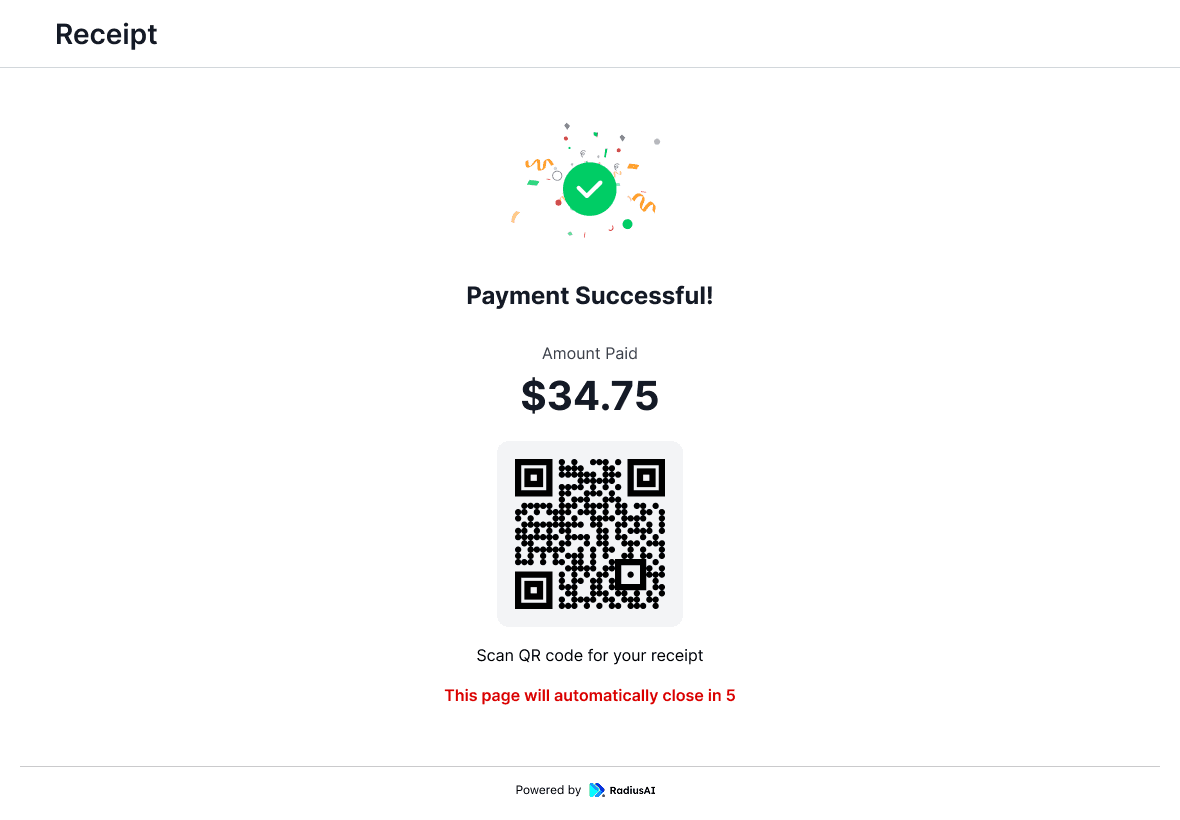
QR code for Customer to collect "Receipt"
GAME ANALYTICS
At State Farm Stadium, a single game translated into over 7,700 transactions and nearly $55K in revenue — not bad at all for a first pilot event, especially one fueled by hungry fans and halftime rushes.
MOMENT OF MOMENTUM
The Business Saw an Opportunity!
The early pilot results didn’t just prove the system worked — they became the pitch to other stadiums.
Within the same season, three additional stadium partners signed on for pilot deployments, including Petco Park and the San Diego Padres.
LITTLE WALL OF FAME

MAJOR CHALLENGE
Fast turnarounds, shifting game-day conditions, and branding that had to show up instantly — with multiple games in a day, the experience had to keep pace with changing menus, and venue identity.
Solving Branding for Stadium Games!
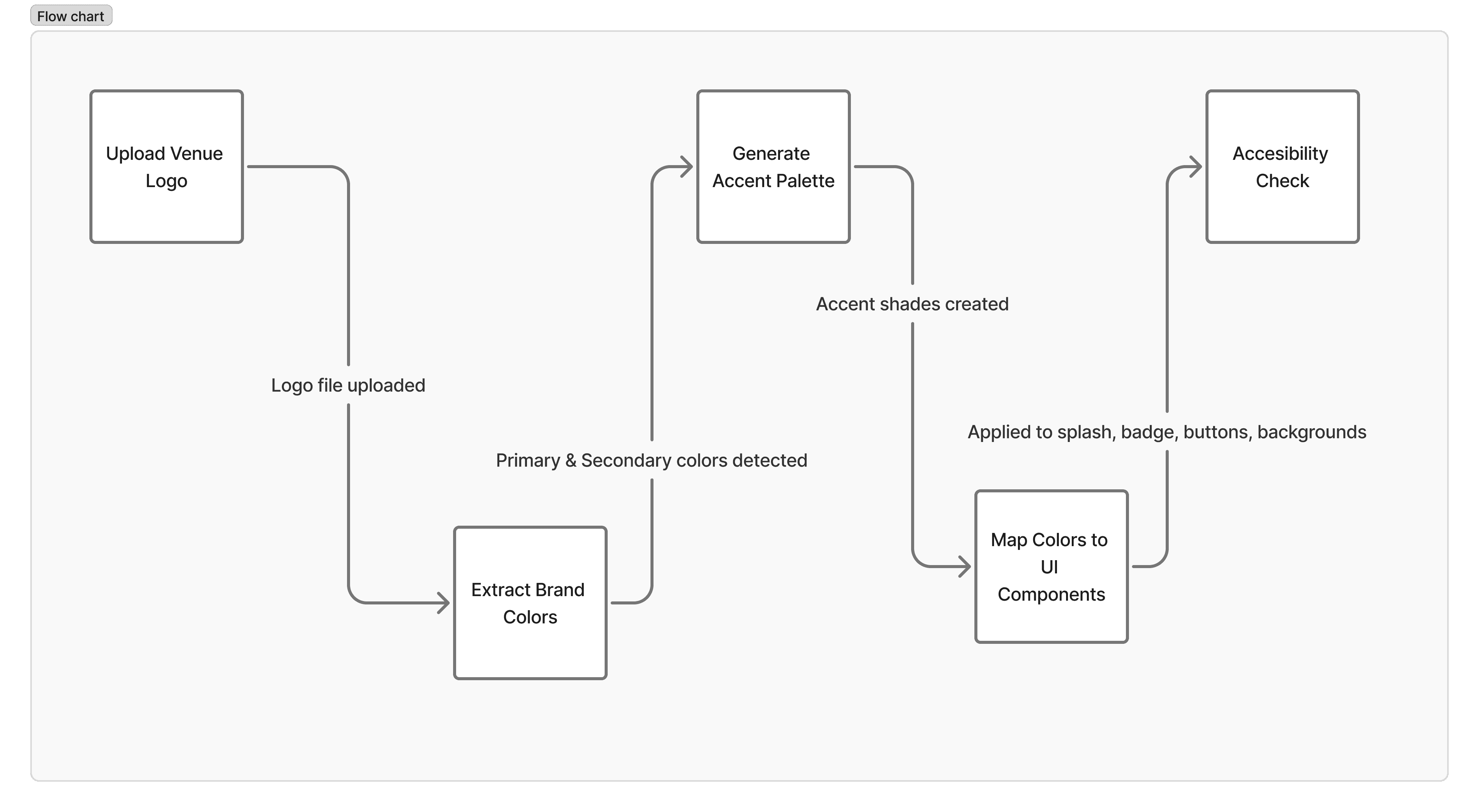
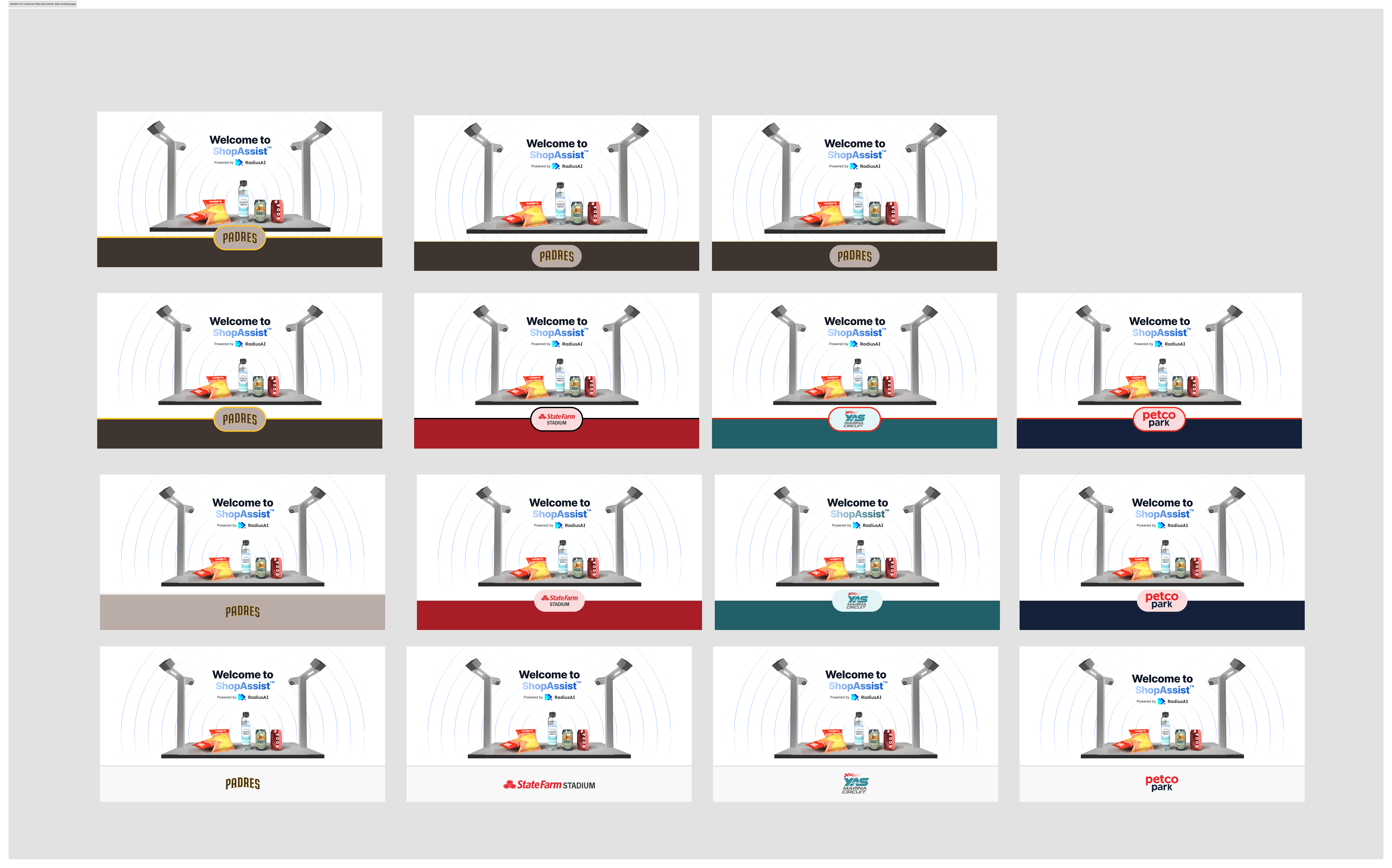
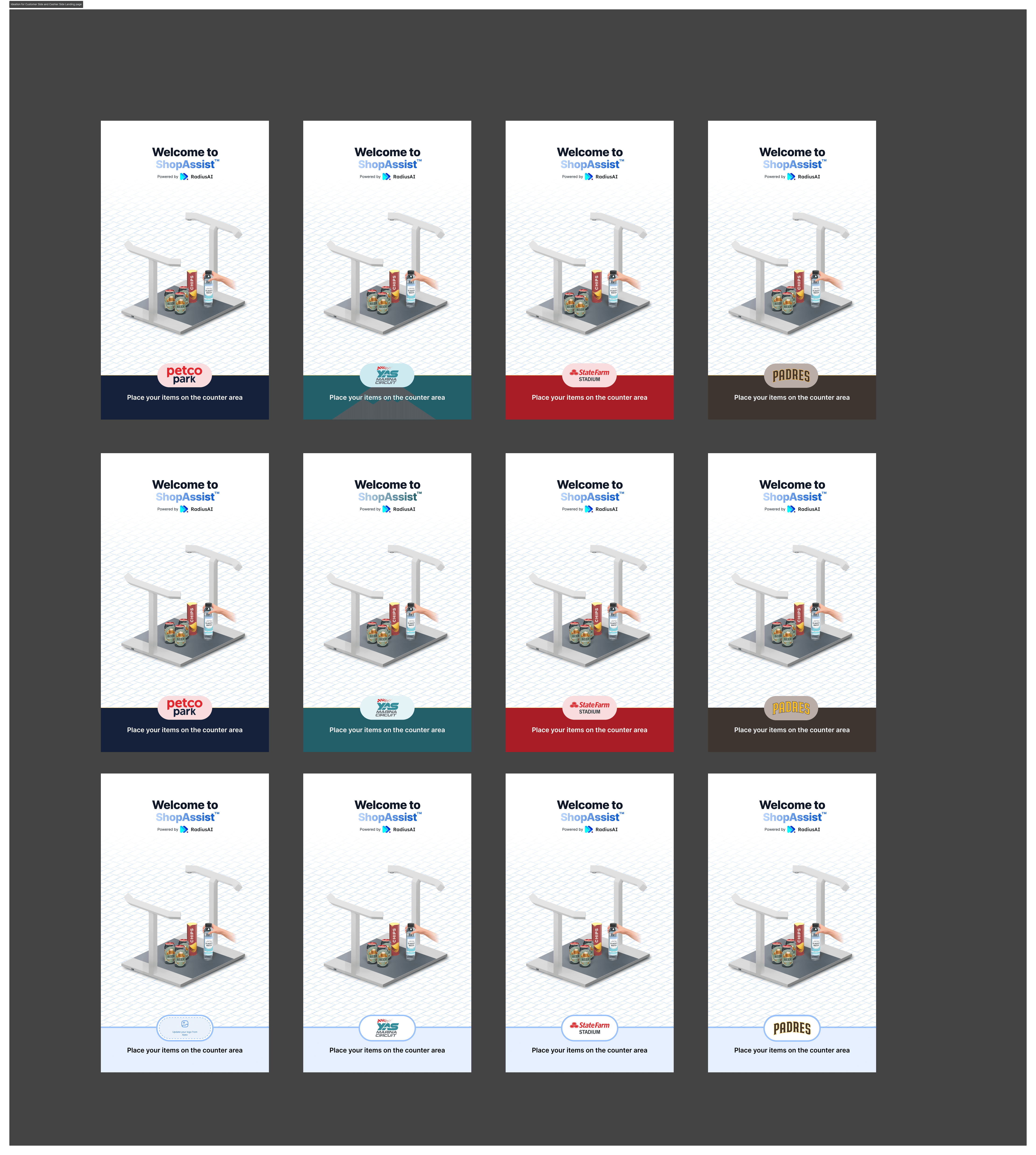
Since the timeline was tight, the goal was to scale each stadium’s identity
Within the same season, three more stadium partners joined the pilot, including Petco Park and the San Diego Padres.
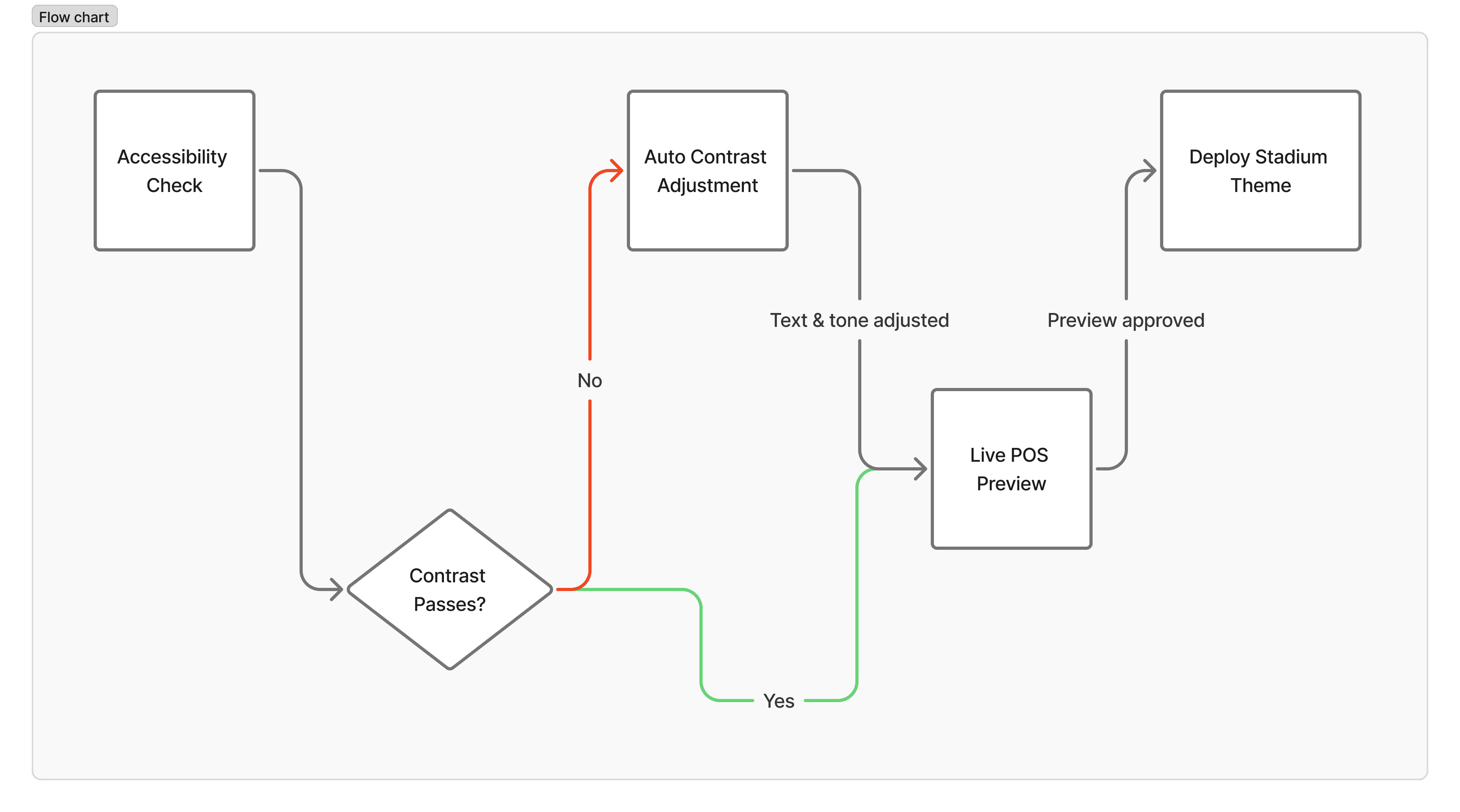
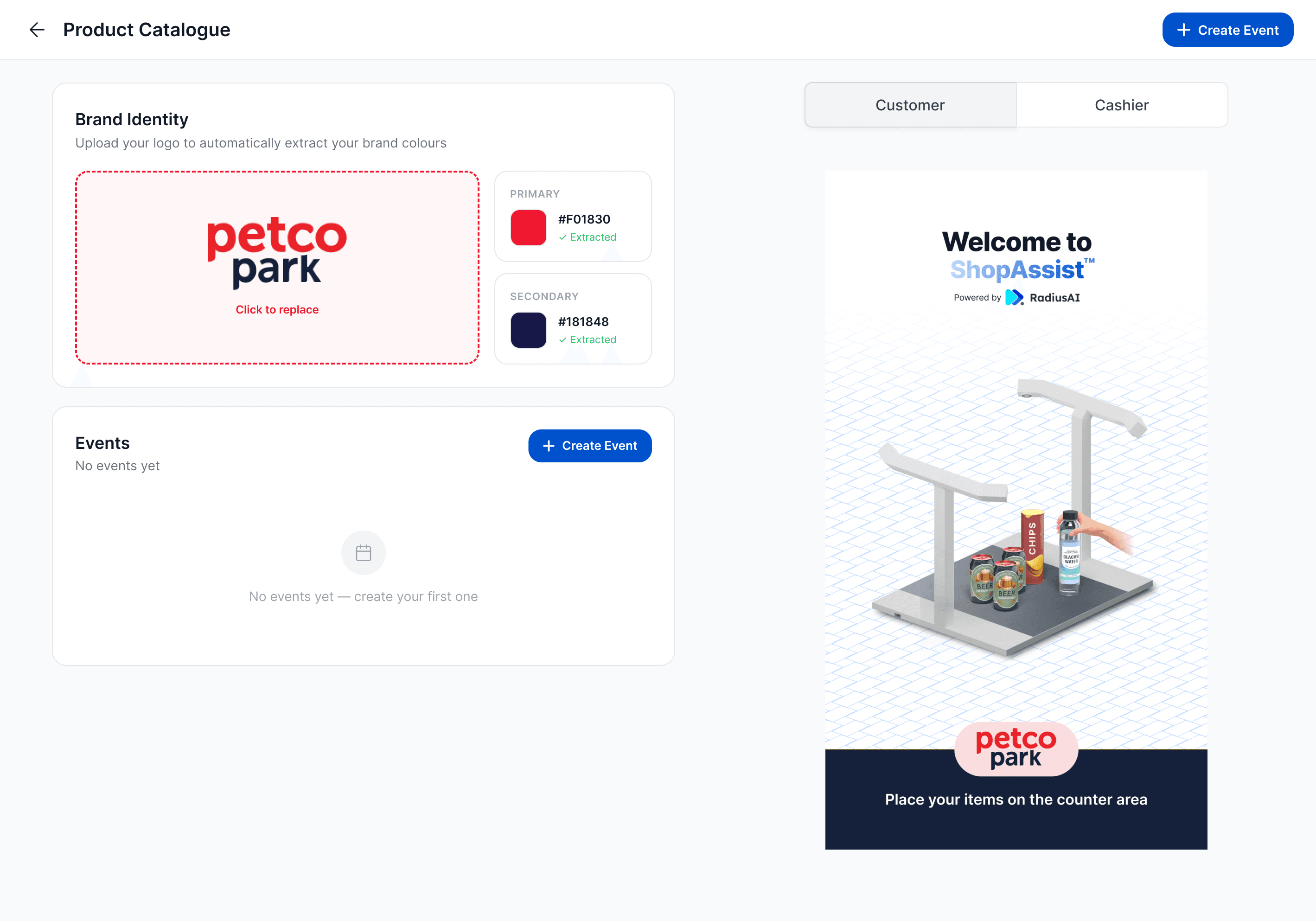
To move fast, we pulled accent colors from each venue’s logo and populated them across standard UI areas — splash screens, highlights, and key touchpoints — allowing the experience to feel branded without rebuilding the product each time.
Handling Dynamic Stadium Menus
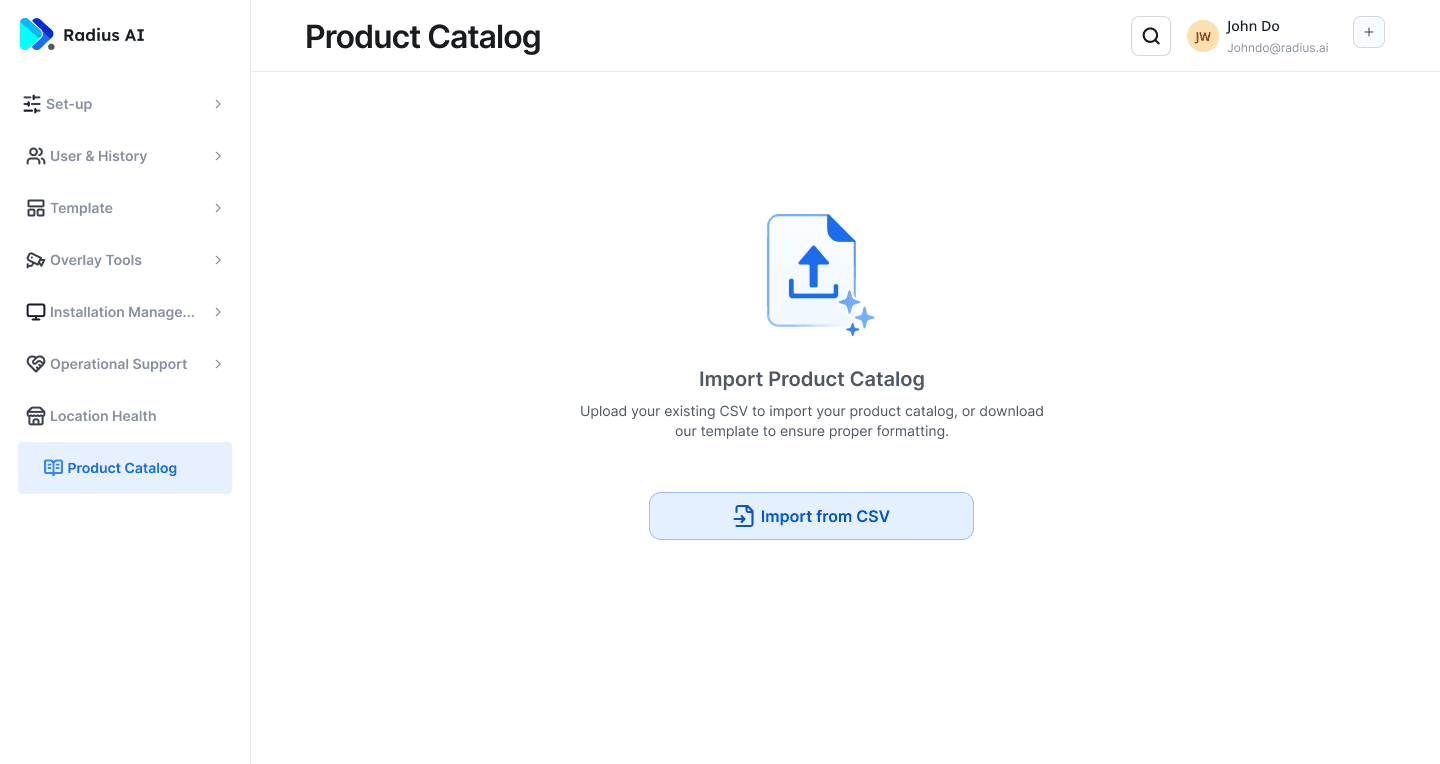
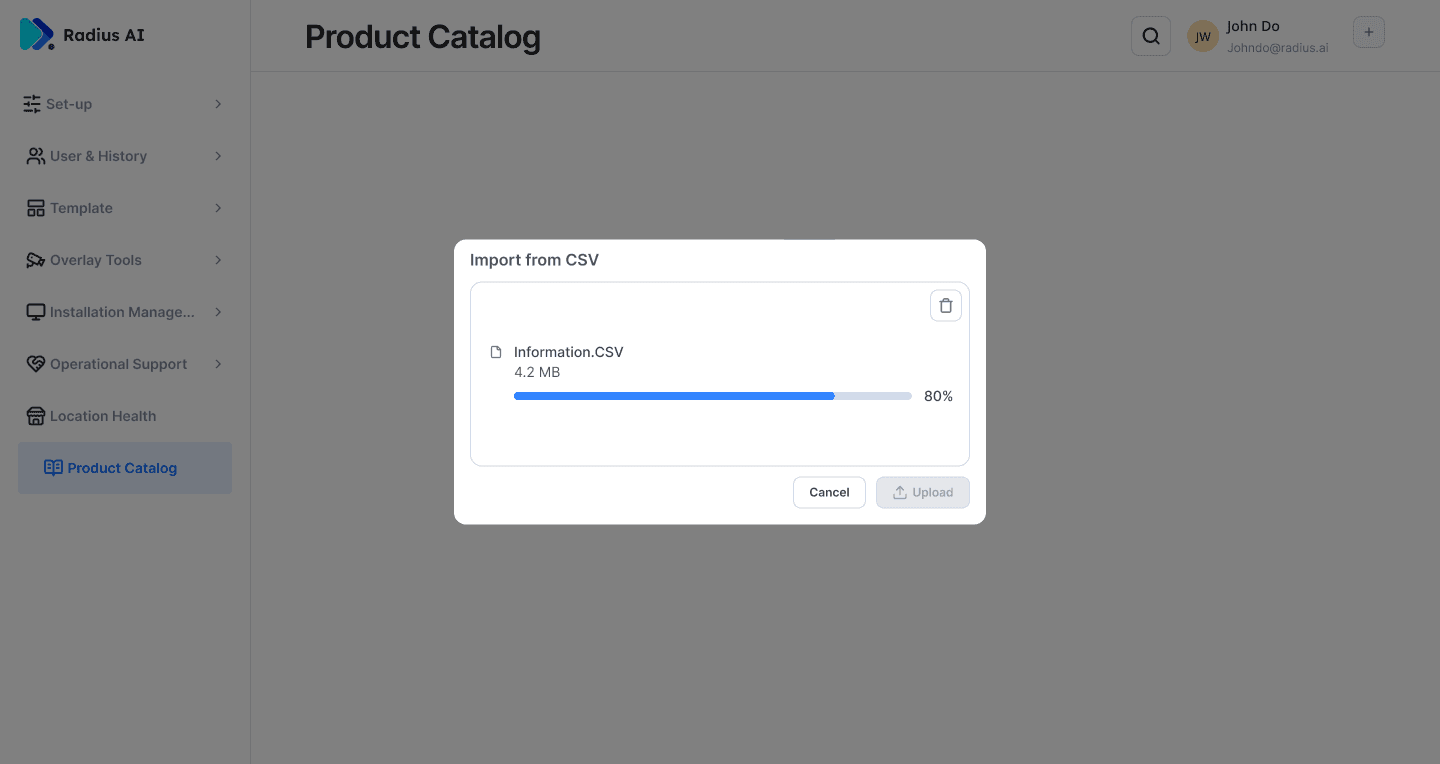
With multiple games in a day, menus often change depending on the event, vendor availability, or venue configuration.
To support this, the system was designed to manage multiple menu configurations under the same venue.
Operators could switch menus quickly for each game without disrupting the checkout flow. This allowed concessions to adapt to different events while keeping the POS experience consistent.
Design Implementation
1
2
3